 Selerity
Sleeve 1.0 vs 2.0: Choosing Your Gaming Sleeve
01/10/2026
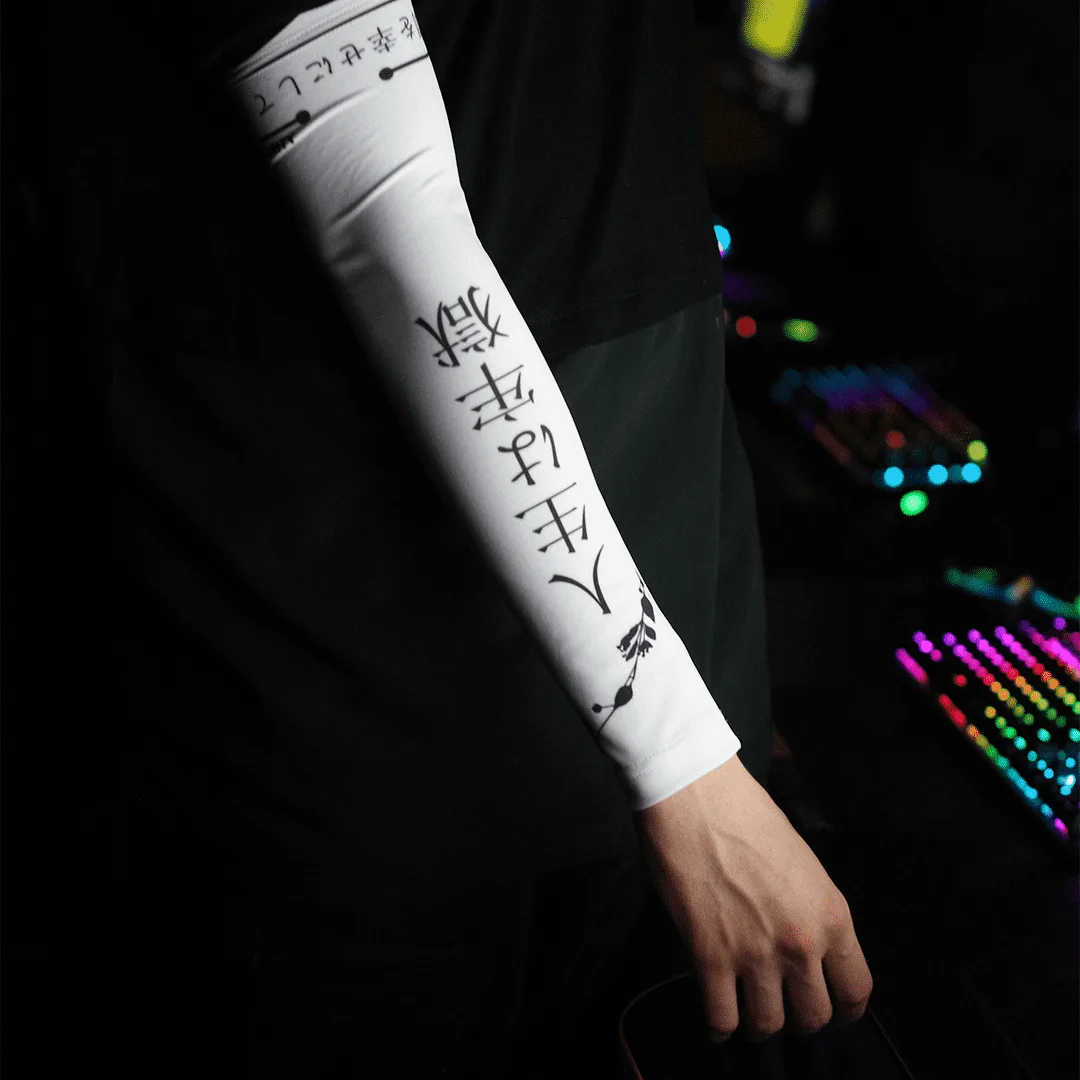
Understanding the Role of a Gaming Sleeve
In competitive gaming, consistency is everything. Every variable that affects your physical movement across the desk can influence your crosshair placement and flick accuracy. One of the most effective ways to stabilize your arm friction is by wearing a dedicated sleeve. Whether you play low sensitivity tracking titles or high sensitivity tactical shooters, minimizing skin friction against the desk surface helps maintain smooth, uninterrupted arm glides during intense matches.
Friction inconsistency is a common enemy for desktop users. Changes in room humidity, natural skin oils, and desk texture can cause your forearm to stick or drag unexpectedly mid-movement. A quality gaming sleeve creates a uniform surface between your arm and your equipment. When paired with proper mouse glides, a sleeve establishes a predictable physical feedback loop that allows your muscles to build reliable memory over hundreds of hours of practice.
The Classic No-Palm Design (Sleeve 1.0)
The classic design covers your entire forearm, wrist, and hand down to the base of your fingers. This full-coverage approach provides maximum protection against desk friction, ensuring that no part of your hand or wrist skin makes direct contact with the mousepad or desk surface. Players who anchor their hand heavily on the desk often find that the full coverage helps eliminate stubborn anchor points that cause jerky micro-adjustments.
Sleeve 1.0 models are particularly favored by desktop users who experience heavy palm sweat during long gaming sessions. By keeping the entire arm enclosed, the fabric acts as a barrier that prevents moisture transfer to your equipment. You can explore options like the Sleeve Blood Tora 2.0 for bold aesthetics alongside full arm coverage. However, players who rely on direct skin contact for tactile feedback on the mouse surface may require an adaptation period to get used to having fabric near their fingers.
The Open-Palm Design (Sleeve 2.0)
The open-palm iteration changes the contact dynamic by leaving your palm and fingers completely bare while maintaining full forearm coverage. This design is engineered specifically for players who prefer to keep direct tactile contact with their mouse and mousepad using their palm and fingertips. It strikes a balance between frictionless arm movement and uncompromised grip control for your hand.
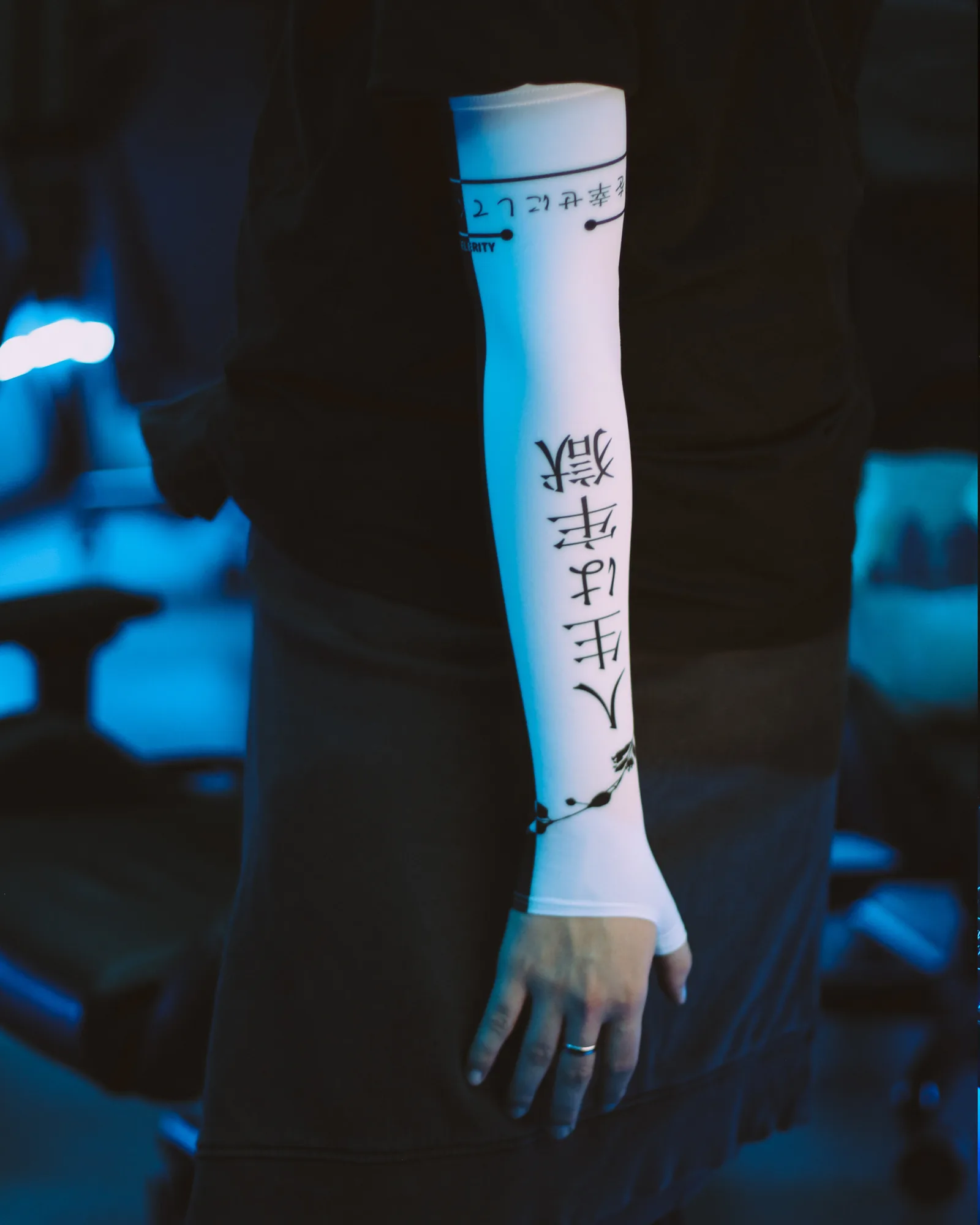
Sleeve 2.0 models offer enhanced breathability and freedom of movement around the wrist joint. If you perform rapid vertical flicks or need absolute freedom for your wrist tendons, the open-palm architecture prevents any fabric bunching near the joint. Popular choices in this category include the Sleeve Paint Splash 2.0 and the Sleeve Black 2.0, both designed to stay securely in place without restricting finger articulation.
Comparing Grip Styles and Surface Interaction
Your grip style and arm positioning on the desk should heavily influence your choice between a classic full-coverage model and an open-palm variant. Consider the following breakdown to determine which configuration aligns with your physical habits:
- Arm Aimers: If you sweep your entire arm across a large surface like the Mousepad Ravens 900×400, both styles work well, but open-palm options offer better wrist flexibility.
- Wrist Anchors: Players who pivot heavily on their wrist often benefit from the open-palm design to preserve natural skin traction against the mouse.
- Hybrid Players: If your forearm rests on the desk edge but your palm hovers, the classic design prevents any friction drag on the lower wrist area.
Aesthetic Choices and Setup Integration
Beyond functional performance, matching your sleeve to your desktop environment helps create a cohesive aesthetic. Selerity offers various visual styles within the 2.0 lineup to complement different desk layouts and peripheral choices. For instance, the vibrant Sleeve Hikari Blue 2.0 pairs exceptionally well with matching surface prints, creating a unified visual theme across your workspace.
For users who prefer darker setups or subtle patterns, alternatives like the Sleeve Hieroglyphs Black-White 2.0 and the Sleeve Luna 2.0 provide distinct visual flair while maintaining identical fabric performance standards across all variants.
Practical Checklist for Making Your Choice
Before deciding on your next arm accessory, run through this quick checklist to evaluate your physical preferences and gaming environment:
- Assess whether your palm touches the desk or mouse during normal gameplay.
- Check if your current setup suffers from high humidity that causes skin sticking.
- Determine whether you prefer full wrist coverage or complete finger freedom.
- Match your chosen sleeve style with a compatible surface like the Mousepad Hikari Blue 900×400 for optimal glide consistency.
By carefully evaluating how your arm interacts with your desk, you can select the ideal configuration from the Selerity catalog to enhance your physical aiming consistency.